Stick Fight



Stick Fight
Stick Fight is a quick arena brawler built around simple controls, physics chaos, and short rounds that are easy to replay. You control a small stick figure, enter compact stages, and try to be the last one standing. The basic idea is straightforward, but every match can turn in seconds because weapons spawn unpredictably, platforms create danger, and one clean hit can launch a player off the map. That combination of clarity and surprise is the main reason the game feels so addictive.
If you want a browser game that starts fast and rewards timing, Stick Fight is a strong pick. It does not require a long tutorial to understand. You move, jump, grab what you can, and react quickly. New players can enjoy it right away, while experienced players can still improve through positioning, weapon decisions, and better control of match pace.
How the Core Loop Works
Most rounds begin in a small stage with multiple players or bots. The goal is simple: survive while everyone else gets eliminated. You usually spawn unarmed, then scramble for nearby tools such as pistols, rifles, explosives, or melee items. Because map layouts are tight and movement is physics driven, even a small mistake can become a knockout. A missed jump, a panic throw, or one badly timed reload can end a strong round.
The loop is short by design. Start a round, fight for control, get eliminated or win, then load the next round immediately. That rhythm keeps pressure high and downtime low. It also makes practice feel efficient because each attempt gives direct feedback. If your edge play keeps failing, you notice it quickly. If a weapon pattern works for you, you can repeat it in the next round and refine it.
The game is often described as easy to learn and hard to master. That label fits because the controls are basic, but match outcomes depend on many small decisions happening under pressure. Stick Fight rewards players who can stay calm when the screen gets busy.
Play in Browser Without Setup
You can launch Stick Fight directly in your browser, which makes it ideal for short sessions. No install step means you can jump in quickly, test a few rounds, and return later without extra setup work. For many players, that convenience matters as much as the gameplay itself.
For smooth browser sessions, keep the game tab active and close heavy background tabs if your device struggles. Fullscreen mode can also help because it improves visual focus and reduces accidental clicks outside the game frame. If inputs feel delayed, check that your browser window has focus and that no other app is capturing your keyboard.
On touch devices, controls may feel less precise than keyboard play, especially in close fights near stage edges. If possible, start on desktop first to learn spacing and timing, then move to mobile when you already understand the match flow.
Controls and Practical Input Habits
Exact keybinds vary by build, but the usual action set is consistent: move, jump, attack, block, and throw or drop your current weapon. Many versions use a keyboard layout around WASD or arrow keys, with mouse buttons or nearby keys for attack and utility actions. Because versions differ, opening the in-game controls screen before your first serious run is the fastest way to avoid confusion.
Why movement matters more than raw attack speed
In Stick Fight, movement is both offense and defense. If you stand still to aim perfectly, you become easy to punish. If you jump constantly without plan, you lose control and drift into hazards. The strongest pattern is controlled movement: short repositioning steps, selective jumps, and attacks only when your opponent is committed to an animation or landing from the air.
High value habits for early improvement
Keep your throw key close to movement inputs. Throwing at the right moment can interrupt a push and create instant space. Avoid overcommitting near ledges where recoil and explosions are most dangerous. When you pick up a weapon, decide quickly whether to use it for pressure or to force enemy movement. Hesitation in close arenas usually leads to losing position.
Winning More Rounds With Better Decisions
Improvement in Stick Fight does not come from one trick. It comes from repeating a few reliable decisions under stress. First, fight for center control whenever possible. The middle of the stage gives you more escape options, while edge positions reduce recovery choices. Second, adapt your weapon use to distance. Explosives and heavy shots are strongest near ledges, while faster weapons work better when you can keep opponents at mid range.
Third, manage tempo. Many players lose because they attack nonstop and become predictable. Instead, apply pressure in bursts. Step in, force a reaction, then punish the opponent's next movement. Even in chaotic lobbies, short pauses create readable patterns. Finally, treat survival as a skill objective, not just elimination count. The longer you stay alive, the more chances you have to convert mistakes from others into wins.
When a match feels random, review what actually happened in the final seconds. Did you jump too late? Did you hold a weapon too long instead of switching position? Small post-round checks help far more than chasing aggressive plays every time.
Background and Why This Style Endures
Stick figure combat has deep roots in internet game culture. Early web animations made stick characters popular because the silhouette was clear and expressive, even with minimal art detail. That visual clarity translated well into games where rapid movement and knockback need to be readable at a glance.
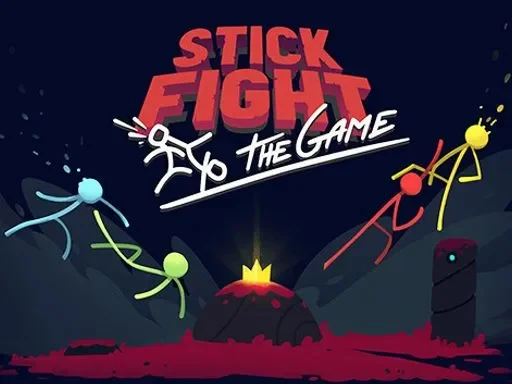
Modern stick brawlers also draw from the popularity of physics based party combat. The well known PC release Stick Fight: The Game by Landfall West, released on Steam in 2017, helped define expectations for this style: short rounds, interactive arenas, and outcomes that mix player skill with unpredictable moments. Browser versions keep that spirit while lowering the barrier to entry for quick play sessions.
That is why the format still works today. The rules are simple enough for immediate fun, but the decision depth keeps experienced players engaged. You can play one quick round during a short break, or keep running matches to sharpen timing and map awareness.
FAQ
Is Stick Fight free to play in browser?
Most browser versions are designed for quick, low-friction access. Availability and exact monetization can vary by host build, but the game format is generally built around instant play.
Do I need to download anything before playing?
No download is typically required for browser sessions. Open the game page, launch the title, and start a round after the controls are recognized.
Why do controls feel different from videos I watched?
Different builds can map actions to different keys or touch layouts. Always check the in-game controls panel first, especially for throw, block, and weapon actions.
Which beginner strategy works best?
Stay near center, avoid long edge jumps, and focus on survival before risky eliminations. Consistent movement and calm weapon use usually beat constant aggression.
Can I play Stick Fight on mobile?
Some versions support mobile browsers, but precision is often better on desktop. If touch input feels awkward, use desktop first to learn timing and spacing fundamentals.
How can I reduce lag during matches?
Close heavy background tabs, keep your browser updated, and use a stable network connection. Input-heavy arena games feel much better when frame pacing is stable.
Comments
Loading comments…