Color Match



What Is Color Match?
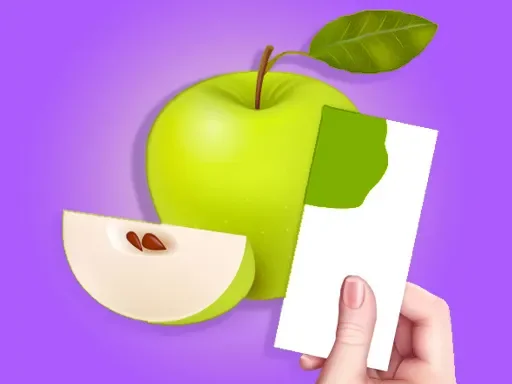
Color Match is a browser puzzle about observation, mixing, and accuracy. Each round shows you a reference object painted in a target shade, then asks you to recreate that color on your own 3D model. Instead of clearing lines or matching icons, Color Match turns color theory into a hands-on challenge. You combine paints on a palette, adjust the balance, and compare your result against the sample. The rules are easy to understand, but precision keeps the game interesting.
Play Color Match In Your Browser
You can play Color Match directly in your browser on this site without installing an app. The loop stays simple: load a level, study the sample object, mix a shade, apply paint, and see how close you came. Players who have tried Color Match elsewhere will recognize the same paint-mixing idea, but playing here is convenient because you can start quickly and repeat levels without extra setup.
The pace is relaxed. There is no need for frantic reactions or complicated inputs. Color Match works well for short breaks, but it is also great for longer sessions when you want to sharpen your eye for subtle differences.
How A Round Works
Most levels in Color Match begin with a simple object such as fruit, tools, toys, or small sculptures. A finished reference version appears beside your blank model so you can study the goal before you mix anything. You build a matching shade from base paints, apply it to the model, and submit the result for judging. The game then shows how accurate your match is.
Mixing On The Palette
This is where Color Match becomes more thoughtful than it first appears. A tiny amount of blue can cool a warm tone, while a little white can soften a color but also wash it out. Strong reds and yellows can dominate the mix quickly, so small adjustments are safer than big swings. Good players build the shade in steps and decide whether it needs to be brighter, darker, warmer, or more muted before changing anything again.
Painting And Scoring
Once your mixture feels right, you apply it to the object and let the game judge the result. Even when the score is not perfect, the feedback helps you see whether you overshot the hue or missed the value. That review loop gives Color Match strong replay value because every mistake teaches you something useful.
Controls On Desktop And Mobile
Desktop: Use the mouse to select paint, drag colors together, and apply the final mix to the object. Slow movements are better than fast swipes because they help you make smaller, more deliberate changes.
Mobile and tablet: Touch controls follow the same logic. Tap or drag to combine paint and spread color over the object. Landscape orientation usually feels more comfortable because the palette and target object are easier to read side by side.
Practical Tips For Better Matches
- Study before mixing: Look at the target for a moment and decide whether it feels warm, cool, bright, or muted.
- Make small changes: Large additions often ruin a nearly correct color. Gentle adjustments are safer.
- Correct one problem at a time: If the shade is too dark and too warm, fix the value first, then the temperature.
- Compare after every tweak: The quickest way to improve in Color Match is to train your eye, not to rush the palette.
- Stay calm on close guesses: Near-matches are progress. A careful second attempt often turns a good score into a great one.
A useful habit is to compare the target and your mix in plain steps. First ask whether your version is lighter or darker than the sample. Then check whether it feels warmer or cooler. Only after that should you worry about fine differences in saturation. Breaking the decision into layers keeps you from making random corrections. It also helps when the object has highlights or shading, because you can focus on the base color instead of being distracted by the lighting on the model.
Why Color Matching Feels So Rewarding
Many puzzle games rely on speed or pressure, but Color Match is built around observation. That gives it a different kind of satisfaction. As you improve, you begin to notice subtle differences between warm and cool tones, or between bright colors and muted ones. The game also has a creative side. Even though you follow a reference, blending colors and coating a 3D object feels closer to a mini art workshop than a typical arcade round.
Background And Browser Appeal
Color Match became widely known through mobile storefronts before appearing on browser game platforms under names like Color Match 3D. That path explains why the game feels so approachable. The rules are immediate, the controls are light, and the level structure supports quick restarts. Browser play removes the friction of downloads and lets you jump straight into the puzzle, which suits the game especially well.
Play Color Match On This Site
For quick loading and easy repeat sessions, playing Color Match on this site is a practical option. You can open a level, test a color idea, and try again immediately if the result is slightly off. That makes improvement feel smooth instead of frustrating.
Frequently Asked Questions
Is Color Match free to play?
Yes. You can play Color Match in your browser for free on this site.
What is the main goal in Color Match?
Your goal is to mix paint so your object matches the reference color as closely as possible, then submit it for scoring.
Does Color Match work on phones?
Yes. The game supports touch input and works well on phones and tablets.
Why do my colors look wrong even when they seem close?
Small shifts in brightness, warmth, or saturation can change the final result a lot, so a nearly correct shade can still score lower if one of those qualities is off.
How can I improve my accuracy?
Slow down, compare the sample before every change, and make smaller corrections. Improvement comes from training your eye rather than moving faster.
Is Color Match more relaxing or competitive?
It is mostly relaxing because there is no heavy time pressure, but the scoring system still rewards cleaner and more accurate results.
Comments
Loading comments…